You might have noticed that for the Classic Reports and the Interactive Grids there’s an option to include or exclude a column in the report’s export.

Unfortunately, that option is not available for the Interactive Reports.
In order to export a report, APEX submits the page using a request that is then used to generate the corresponding file. This can be verified by having a look at the network tab in DevTools:
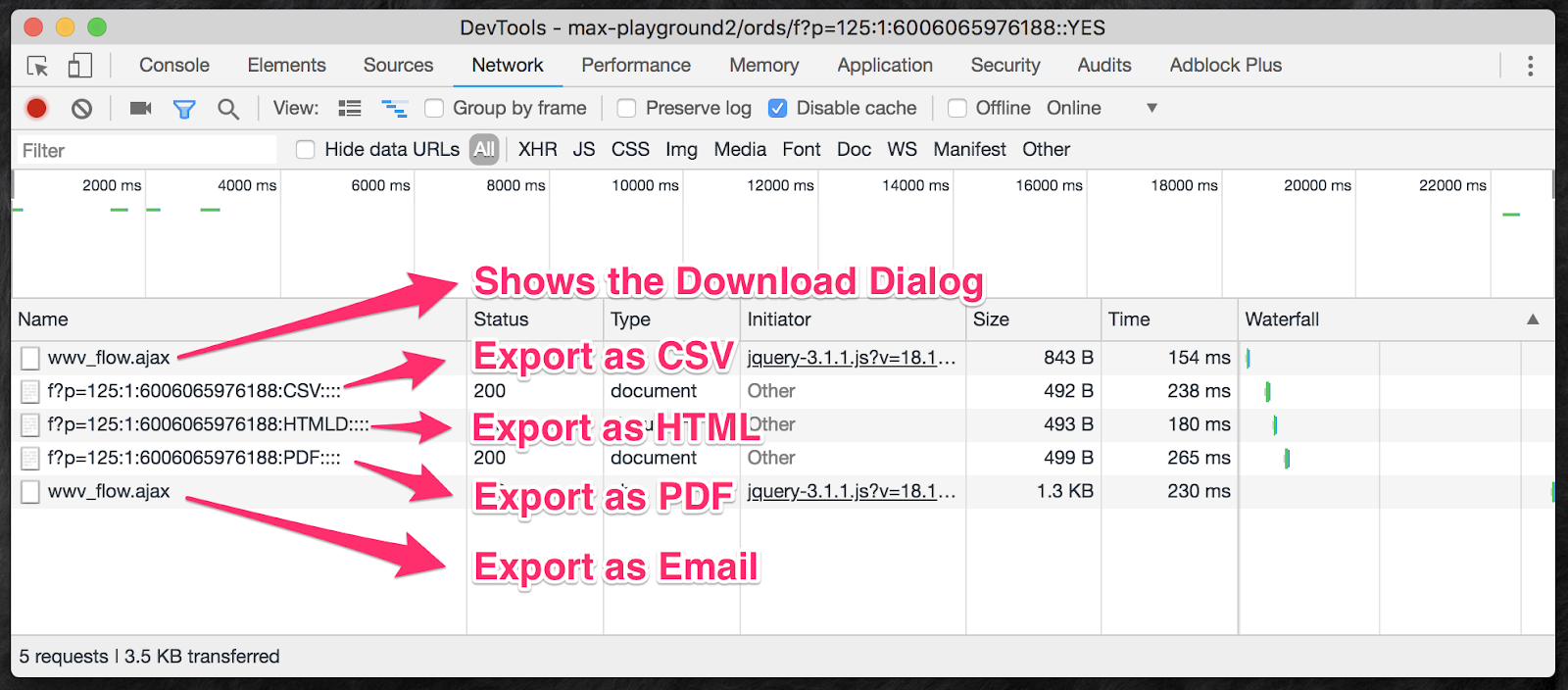
As we can see, a request is used to export the report, except for the Email option.
If we look at the request’s details for the Email export:
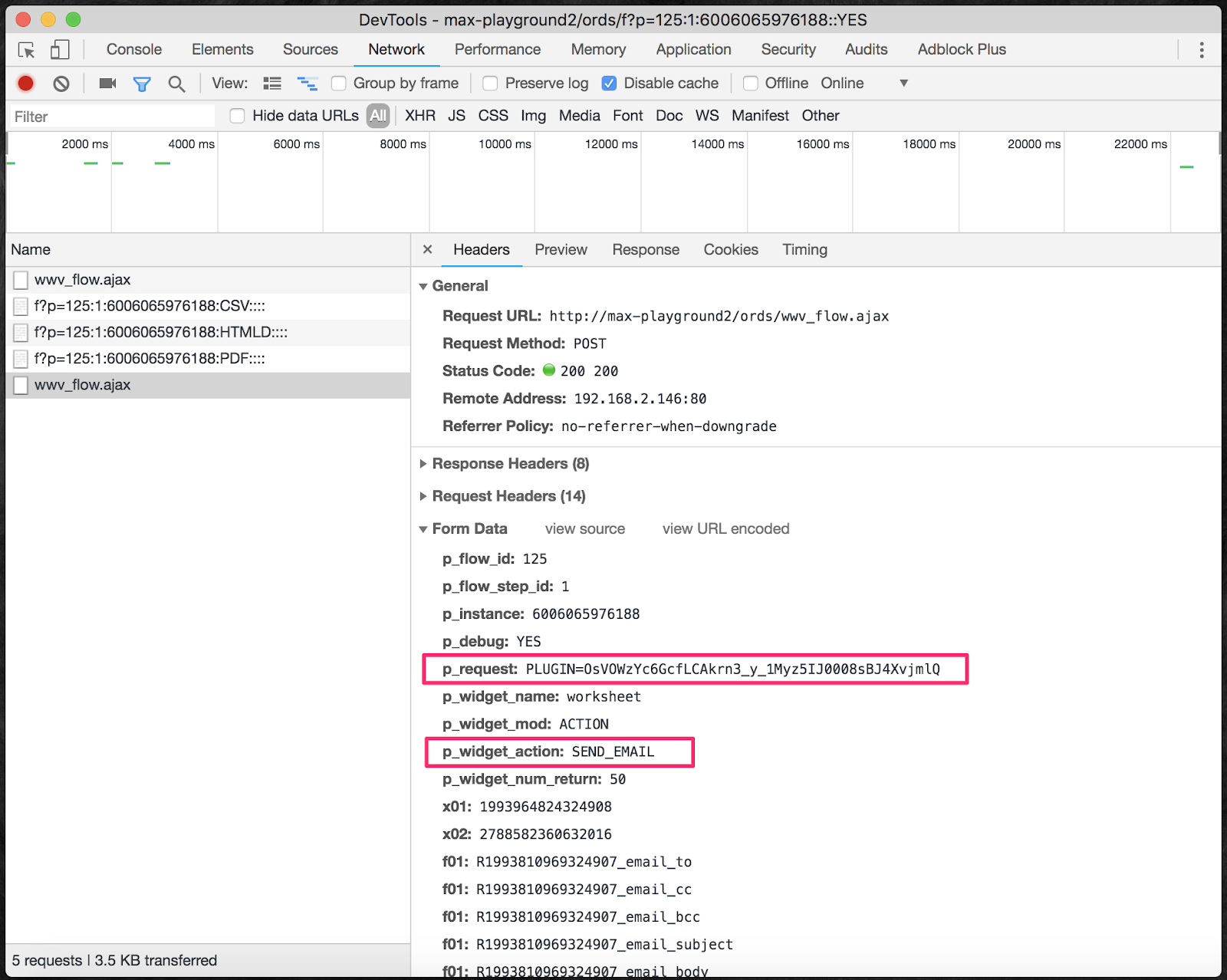
We can see that it’s making an AJAX call and that it sets the p_widget_action to “SEND_EMAIL” which is saved in the wwv_flow package as g_widget_action.
Using the above, we can remove a column from the export by adding a server-side condition that checks the request and the widget action as follow:
nvl(:request, 'EMPTY') not in ('CSV','XLS','PDF','RTF','HTMLD')
and nvl(wwv_flow.g_widget_action, 'EMPTY') <> 'SEND_EMAIL'
Edit: the following only applies to 21.2 and below (see notes at the bottom for more info) That condition will work if there is only one interactive report on the page. If there is more than one report, the requests will be different.
As we can see here:
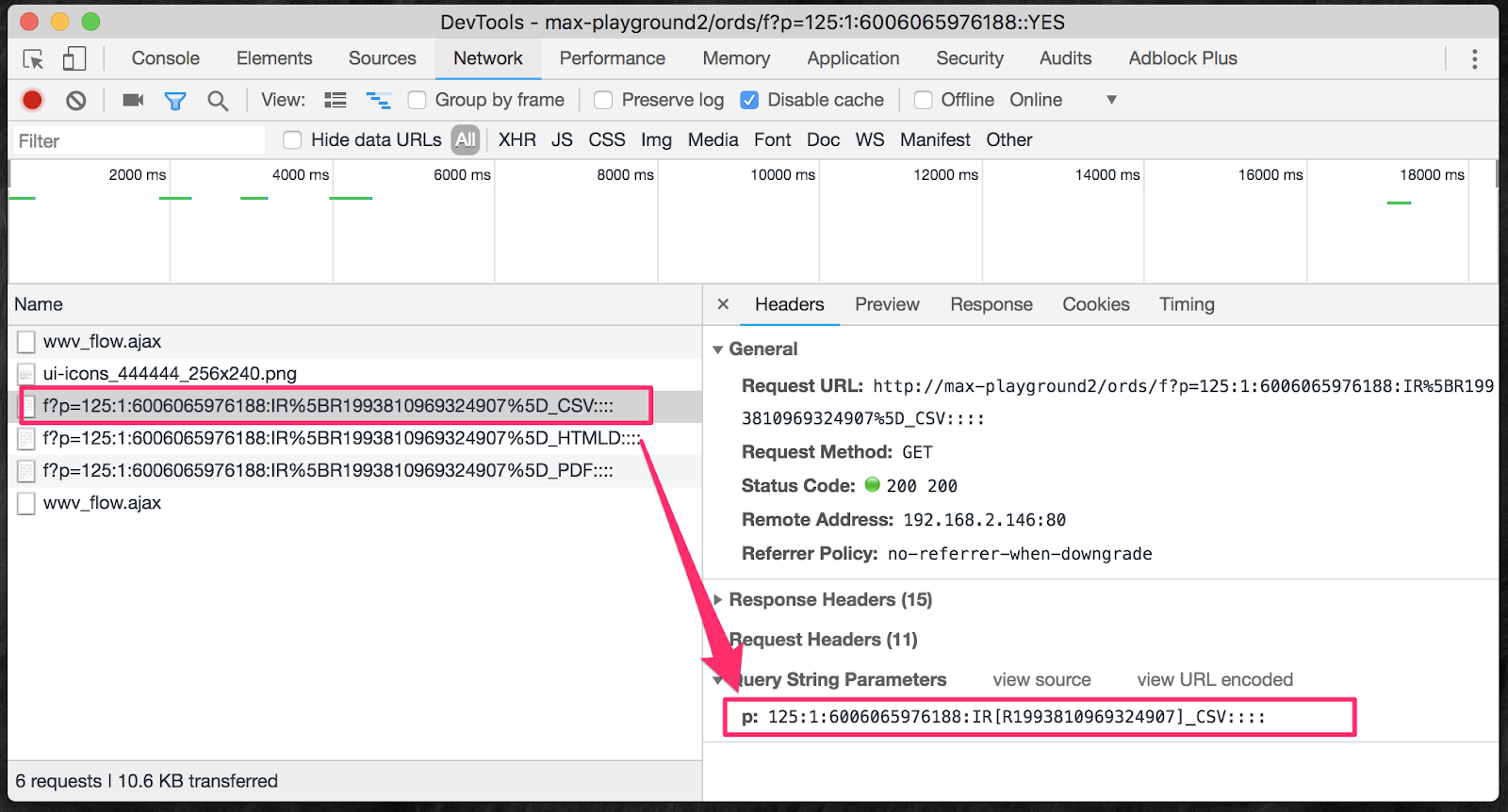
The requests are going to be using this pattern: IR[R<region id>]_<export type>
If we take that into consideration and include it into the previous condition, we will have this:
nvl(substr(:request, instr(:request, '_', -1) + 1), 'EMPTY') not in ('CSV','XLS','PDF','RTF','HTMLD')
and nvl(wwv_flow.g_widget_action, 'EMPTY') <> 'SEND_EMAIL'
In order to centralize the condition and avoid code being duplicated/replicated everywhere that we need to use this, it’s best to create an authorization schema that we can use instead of using the server-side condition.
Enjoy!
Edit: Version 20.2 to 21.2
- Excel exports are now using
XLSXinstead ofXLS. - There’s a new “Data Only” flag that has been added to the request name as Y/N.
Requests would now look like this:
CSV_Y,CSV_N,XLSX_Y,XLSX_N, etc.
Version 22.1 and above
- Requests to download a report are not submitting the page anymore. A plug-in AJAX request is now performed instead.
- The “Data Only” flag value has been removed from the request’s name
- When more than one IR is on the page, the request remains the same